
October 26, 2026
11 min read
Guide

How to Make an AI Drama Series

An AI drama series is an episodic video story produced with digital characters, scripted story beats, and synthetic scenes instead of a traditional physical film set. Learning how to make AI drama series requires planning a multi-episode narrative arc, locking character visual references, and generating scene clips with focused motion prompts.

By Reviewed by Jonah WellerHow we review

Why the AI drama series format is taking over vertical AI video

Learning how to make AI drama series projects captivates modern audiences by pairing intense micro-storytelling with the rapid production speeds of synthetic media. Viewers increasingly seek fast-moving vertical sagas on platforms like TikTok and YouTube Shorts, where each one-to-two-minute episode ends on a high-stakes reveal.

Producing episodic content no longer demands physical soundstages, casting calls, or costly studio equipment. When creating an AI drama series, creators are discovering that algorithmic feeds reward regular posting schedules that traditional live-action shoots struggle to sustain.

Using prompt-driven text to video tools, a solo creator can script a multi-part thriller, outline episodic arcs, and generate high-definition clips in an afternoon. This accessibility lets anyone create AI web series content from original story concepts, without the overhead of standard film sets.

What is an AI short drama and how does episodic pacing work?

An AI short drama is a serialized narrative told through bite-sized video episodes that typically run between one and two minutes each. Unlike standalone clips, these micro-dramas rely on classic soap opera story structures, including betrayal, hidden identities, and sudden reversals of fortune. Every scene must push the central conflict forward without unnecessary exposition.

Pacing dictates whether viewers swipe away or watch the entire playlist in one sitting. Writers divide an overarching season into ten to twenty micro-chapters, structuring each scene around an emotional beat that peaks right before the final cut. Cliffhangers keep retention high, encouraging viewers to tap through to the next installment immediately.

Visual storytelling in this format favors vertical compositions with dramatic lighting and expressive character reactions. Framing your shots tightly ensures that dramatic face-offs and crucial props remain legible on mobile screens where most micro-dramas are consumed.
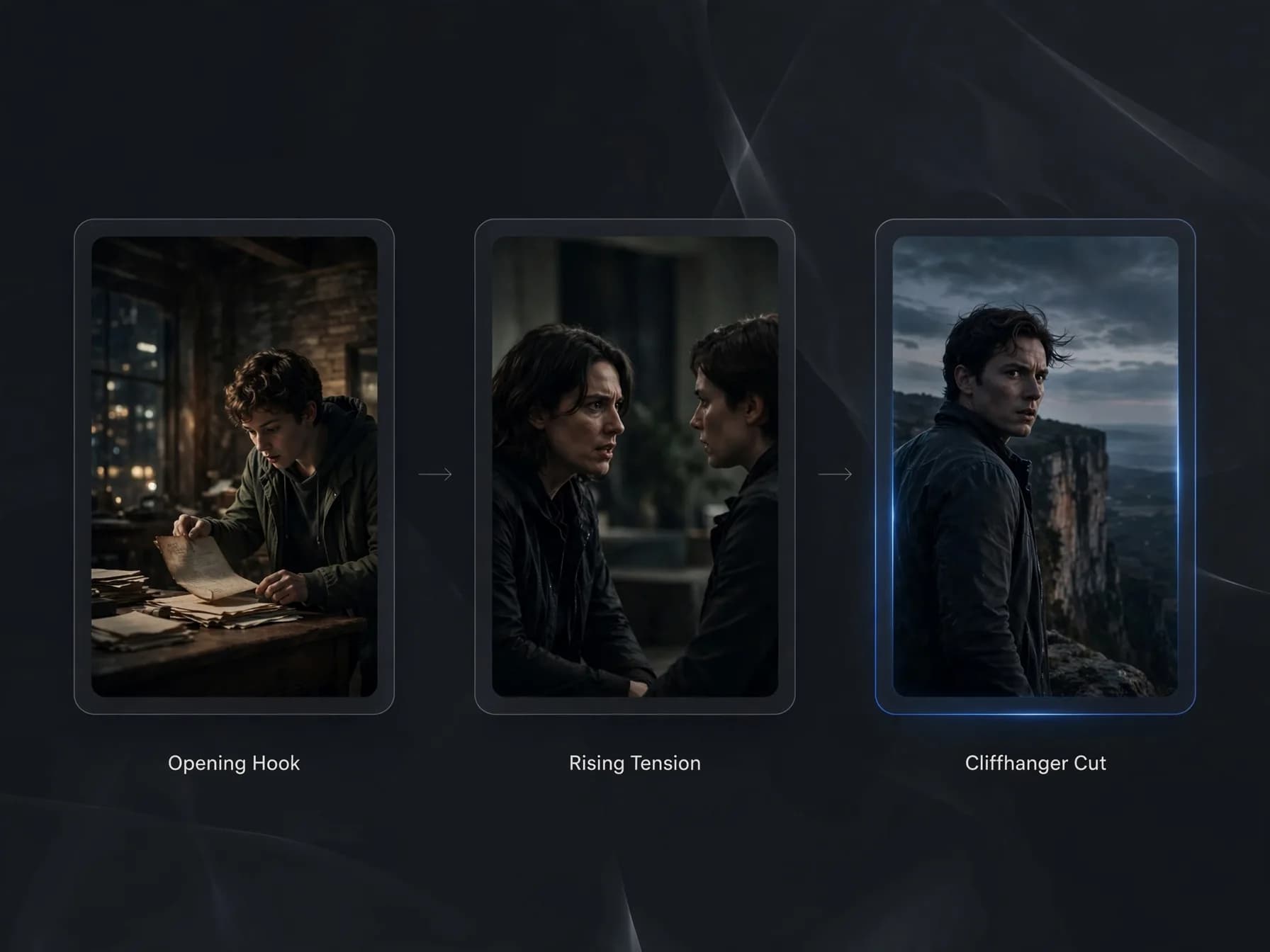
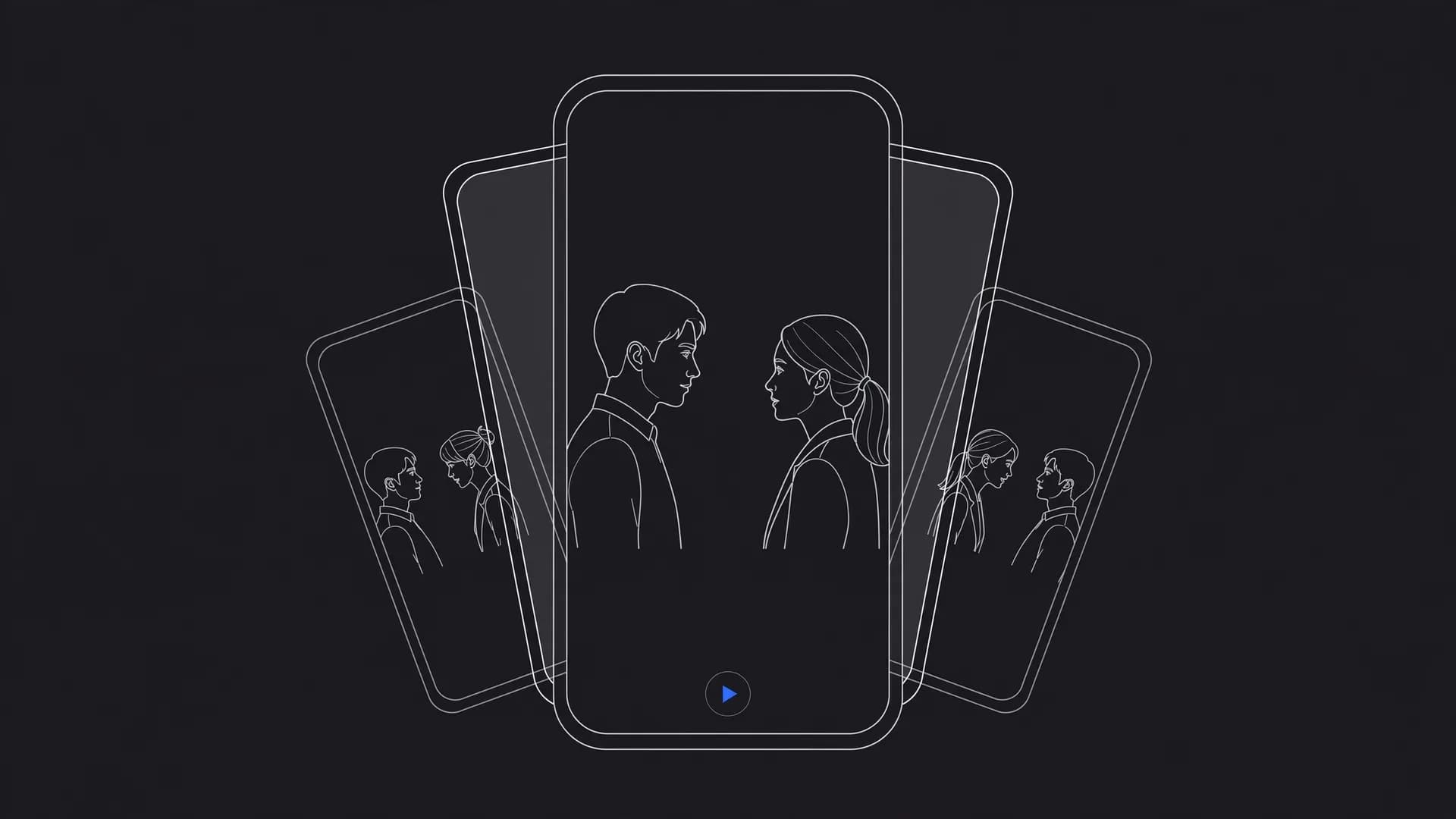
Three vertical video frames showing episodic pacing across an AI short drama with an opening hook, tension, and cliffhanger.

How to make AI drama series episodes in four clear steps

To create AI drama series episodes reliably, start with a repeatable production pipeline that keeps your episodes organized from script to final cut. When making an AI drama series, treating your generation process like a digital backlot saves time and prevents wasted credits.

Step 1: Write your episode script and shot list by breaking your dramatic scene into fou

Step 2: Establish character reference images with consistent wardrobe, facial features,

Step 3: Generate each scene clip from a short motion prompt using OnVid's AI video gener

Step 4: Assemble your clips in a vertical timeline, trimming excess pauses and layering

Building an AI drama with consistent characters across every scene

Maintaining an AI drama with consistent characters is the single most important technical hurdle when producing episodic short dramas. When a protagonist's hair color, jawline, or wardrobe shifts between cuts, audience immersion breaks instantly. Successful showrunners establish strict visual anchors before rendering their first narrative sequence.

The most reliable technique combines multi-image reference workflows with descriptive prompt locks. Uploading front, profile, and three-quarter portraits into image to video models like Seedance 2.5 or Kling O1 allows the generator to map consistent facial geometry onto new actions. Creators learning how to animate a photo can lock their actor prompt with specific wardrobe keywords, such as a charcoal trench coat, to ensure clothing stays uniform across scenes.

Lighting consistency matters just as much as facial structure when cutting between two angles of the same conversation. Specify the same environmental atmosphere, such as golden hour backlight or moody fluorescent office lighting, in every prompt within that scene to maintain consistent visual continuity.
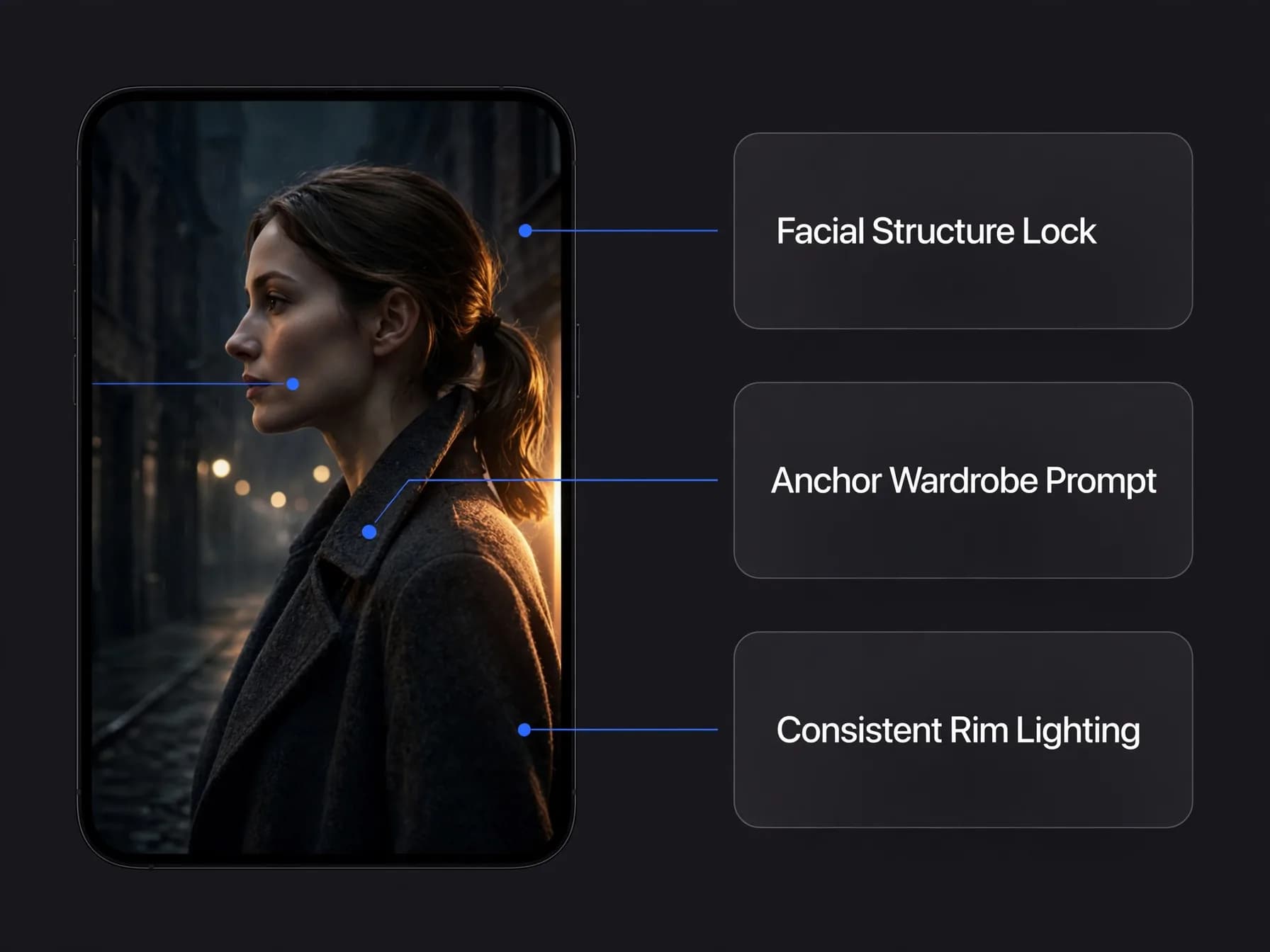
Vertical AI drama scene preview with callouts pointing out facial structure, anchor wardrobe, and consistent rim lighting.

Can you make an AI video series with realistic voice acting and native sound?

Captivating episodic drama requires convincing vocal performances and atmospheric audio to support the visual tension on screen. Viewers will tolerate stylized video generation, but flat or mismatched audio immediately pulls them out of the story. Modern production stacks allow creators to combine synchronized dialogue with rich sound design.

Using dedicated speech synthesis, creators produce expressive line reads that capture anger, hesitation, and romantic tension. Models like Seedance 2.0 and Seedance 2.5 generate native sound effects alongside video clips, matching environmental rustles, footsteps, and room tone directly to the movement on screen.

For close-up dialogue scenes, talking photo tools align recorded speech to facial movements with precise lip synchronization. Layering a brooding cinematic score underneath the conversation binds the episodic beats together, so you make an AI drama show that feels finished rather than stitched together.

How to make AI drama series scripts avoid common visual continuity mistakes

Smooth AI drama series production depends on dodging the common mistakes that plague novice productions. When creators rush, they often overload prompts with conflicting camera directions that confuse the underlying model. Describing too many simultaneous actions in one prompt yields muddy motion and warped anatomy.

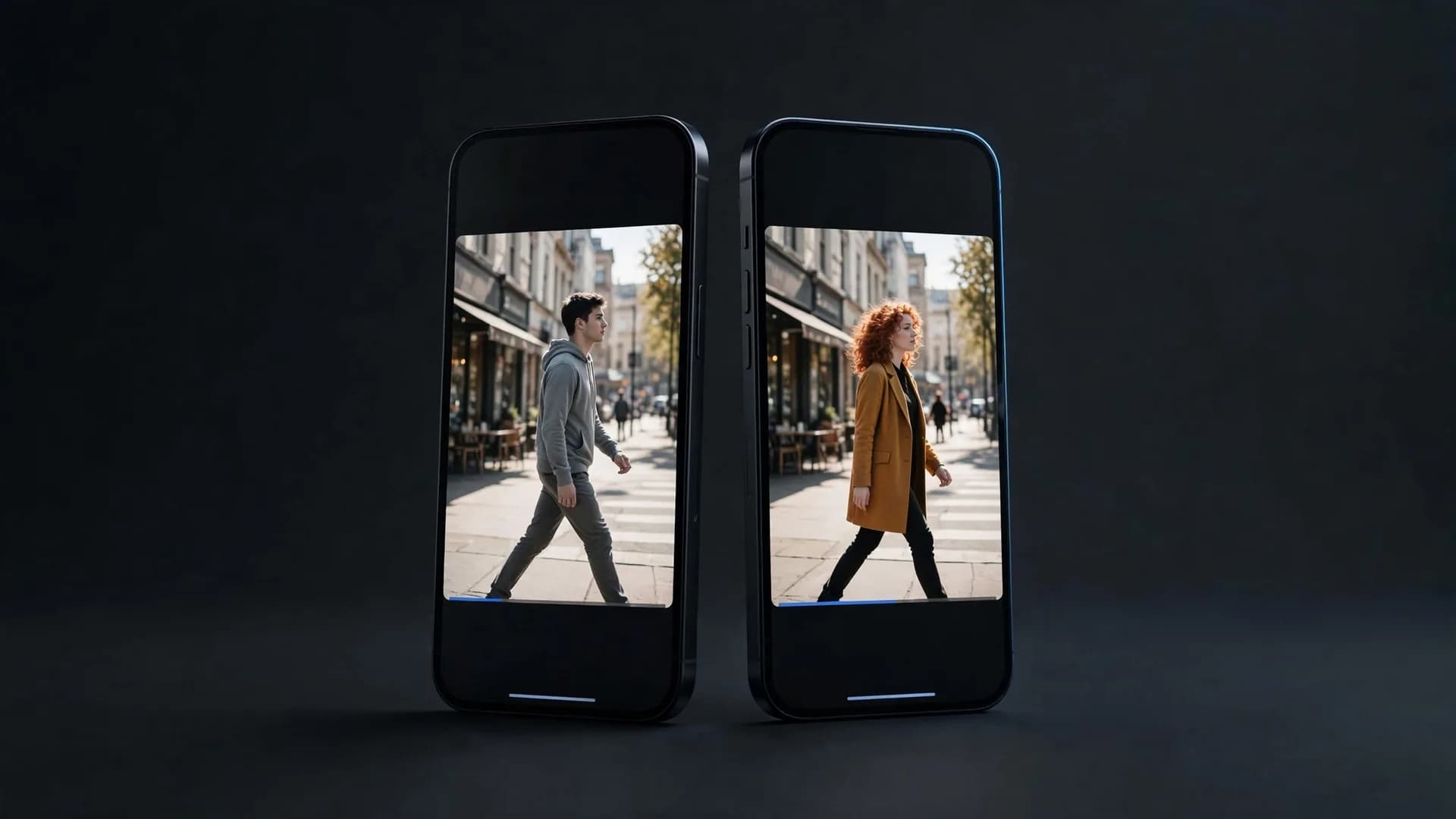
Another frequent error is neglecting the screen direction of your synthetic cast during conversations. If Character A looks screen-right in their close-up, Character B must look screen-left when answering, preserving the standard 180-degree rule of cinematic editing. Failing to maintain this conversational axis makes back-and-forth dialogue confusing for viewers on small displays.

Finally, avoid letting pacing drag by holding static shots for too long. Micro-dramas thrive on visual momentum, so keep individual shot lengths between two and four seconds, cutting on action to keep your audience engaged right up to the final cliffhanger.
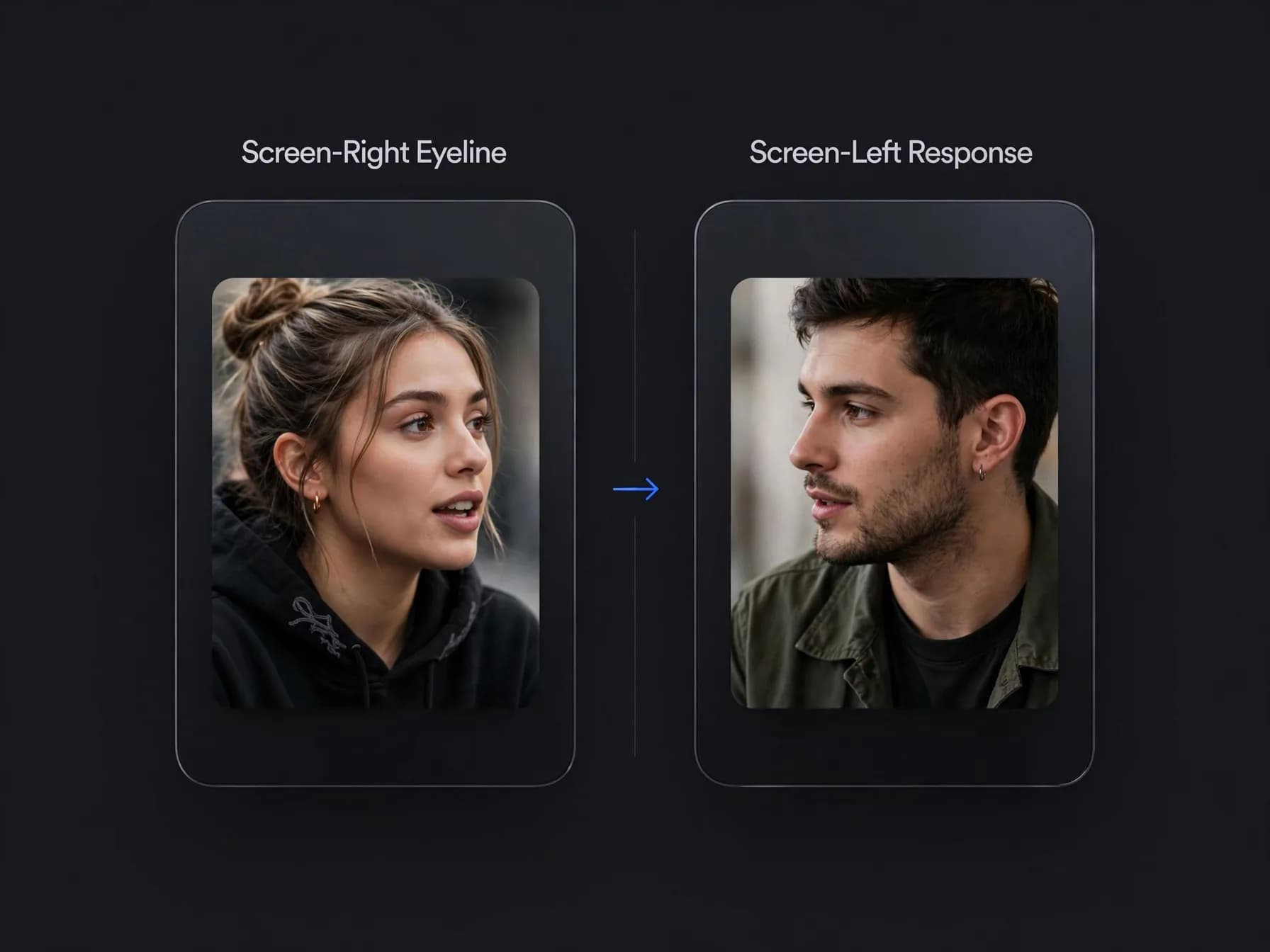
Two vertical drama video frames showing matched dialogue eyelines obeying the 180-degree rule.

Final thoughts on your AI drama series

Learning how to make an AI drama series comes down to disciplined character consistency, tight episodic pacing, and clear scene-by-scene direction.

By locking your character reference photos upfront and producing focused shots with multi-image models, you can maintain unbroken visual continuity across every episode. Start with a short three-part micro-drama to refine your prompt workflow, assemble your clips in a timeline, and build your episodic world shot by shot.

Common questions about how to make an AI drama series

Find direct answers to the most practical questions about how to make an AI drama series, covering character consistency, story structure, and episode generation workflows.

How to make AI drama series on a budget without expensive filming gear?

Learning how to make AI drama series on a budget starts with planning your episodes as short scenes and using OnVid's AI video generator. Simply write your script, generate short video clips from text or photo prompts, and assemble them in an editor.

What tools do creators use when figuring out how to make AI drama series?

Creators exploring how to make AI drama series typically combine a scriptwriting tool, character photos, and an AI video generator like OnVid. Once your cast is set, generate scenes with models with Seedance 2.5 on OnVid, then layer dialogue and music into your final cut.

How to make AI drama with consistent characters across multiple episodes?

Knowing how to make AI drama with recurring characters requires locking a single set of reference photos for each cast member. Multi-image models such as Seedance 2.5, Kling O1, or Wan 3.0 let you feed the same face into every new shot prompt. Keeping clothing descriptions and lighting styles constant in your text prompts also prevents characters from shifting between cuts.

Why is the AI vertical drama format so popular on social platforms?

An AI vertical drama fits mobile viewing habits directly, matching the 9:16 aspect ratio of TikTok, Instagram Reels, and YouTube Shorts. Micro-drama episodes usually run one to two minutes, relying on rapid pacing, bold visual hooks, and dramatic cliffhangers. Creators can produce an entire mobile series using OnVid's AI video generator without traditional soundstages.

Can I make a full-length TV series with AI tools today?

Yes, independent creators can produce episodic serialized shows using AI generation tools. While traditional TV networks rely on multi-million dollar sets, an AI workflow allows single creators to storyboard, generate scenes up to 60 seconds on OnVid's Max plan, and string episodes together. Pacing your story into bite-sized scenes makes the technical workflow practical and manageable.

Do AI dramas require real actors or physical voice talent?

Most AI dramas do not employ physical actors, relying instead on synthetically generated characters created from text prompts or portrait photos. For dialogue, creators animate portraits using tools like OmniHuman or Kling AI Avatar v2 to deliver lip-synced lines, or generate synthetic speech tracks. This keeps talent overhead near zero while maintaining complete visual control.

Is using AI to make movies and episodic drama series legal?

Creating original stories with AI video is legal when using your own concepts. Commercial use depends on the model that made the video; check the OnVid Terms of Service and the model's terms before commercial use.

Can I start producing an AI drama series without upfront payment?

You can plan the whole series for free: write the scripts, the series bible and the character prompts before you spend anything. Creating an OnVid account is free, but generating video clips needs a Pro plan ($14.99 a month) or a Max plan ($28.99 a month). Credits are charged per second of video, and failed videos refund their credits.

Why are AI dramas so addictive for vertical video audiences?

AI dramas hook viewers by compressing classic soap opera tropes into fast, one-to-two-minute episodes that end on emotional or narrative cliffhangers. The high stakes, secret identities, and sudden betrayal arcs keep viewers tapping to watch the next installment immediately. Because visual production moves quickly with modern generative models, creators can publish new episodes daily to sustain audience obsession.

Is mainstream streaming like Netflix adopting AI actors for productions?

Major streaming platforms primarily experiment with AI for background visual effects, localization dubbing, and pre-visualization storyboards rather than replacing lead cast members outright. However, independent studios and indie web series creators are moving much faster, building entire micro-drama catalogs populated exclusively by synthetic performers. The rapid drop in production costs gives indie creators an advantage in niche serialization.

How do creators monetize an episodic AI drama series online?

Creators monetize episodic dramas through ad revenue sharing on YouTube and TikTok, fan memberships on Patreon, or direct micro-transactions on dedicated short-drama web apps. Many creators also adapt popular web novel chapters into serialized visual shorts to drive traffic to paid serialized fiction platforms. Consistency in publishing new cliffhanger episodes is the main driver for building a paying subscriber base.

How long can individual scenes be when generating an AI drama series?

Scene durations depend on your chosen platform plan and model settings. On OnVid, users can generate clips up to 30 seconds on the Pro plan or up to 60 seconds on the Max plan. Most dramatic cuts in vertical micro-dramas last between three and seven seconds, so shorter generations stitched together often produce the most engaging cinematic rhythm.

Can I use video-to-video tools to direct complex actor choreography in an AI drama?

Yes, video-to-video workflows let you film a rough reference motion on your phone and restyle it using generative models. On OnVid, you can upload a reference clip under 30 seconds alongside character photos to transfer complex body movement to your synthetic protagonist using models like Seedance 2.5. This eliminates uncanny character motion during action or dramatic gesture sequences.

How do you handle character dialogue and lip sync across drama episodes?

For character dialogue and lip sync, avatar models like OmniHuman and Kling AI Avatar v2 animate portrait photos to speak. You can generate these speaking clips with OnVid's AI talking photo generator.

What is the best way to plan a series bible before generating video clips?

A strong series bible defines each character's appearance, core conflict, and clothing palette alongside a scene-by-scene script breakdown. Keeping a standardized visual prompt sheet for each cast member ensures that prompts fed into your AI video generator yield uniform faces and aesthetics. Structuring your drama into clear five-second story beats saves rendering credits and reduces continuity errors.

What video resolution should I export for vertical drama platforms?

Vertical mobile drama series should be exported in 1080p resolution at a 9:16 aspect ratio. Subscribing to OnVid Pro or Max enables HD downloads with no watermark, ensuring your episodes look polished across TikTok, Instagram Reels, and short-drama streaming apps. Keeping your generation source clear prevents visual compression artifacts when videos are uploaded to social media feeds.

See similar blogs

More from the blog